

 HU
HU IT
IT MK
MK BR
BR CH
CH NZ
NZ AL
AL LV
LV LT
LT
Planbet Mobile App

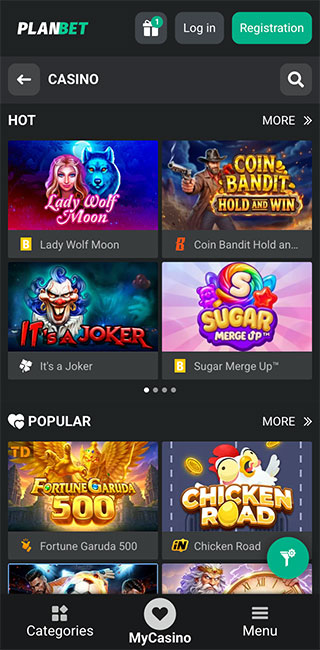 Planbet Mobile App View
Overview of Planbet Mobile App Experience
Planbet gets mobile mostly right. Android users get a downloadable app, while iPhone and iPad players use the mobile/PWA version through Safari. The interesting bit is not the format, though. Planbet simply feels better on a phone than the desktop site does for everyday use.
Moving between betting, casino games, payments and account sections is quick, and the mobile layout cuts away some of the clutter you get on a bigger screen. If I am checking a live market or opening the cashier, I would reach for the phone first. Desktop only wins when I want a lot of markets or games visible at once.
Overall Mobile Requirements
Planbet is fairly light on hardware, so you do not need a recent flagship to run it comfortably.
| Device | Recommended OS | RAM | Access |
|---|---|---|---|
| Android | Android 10+ | 2 GB | Downloadable app |
| iPhone / iPad | iOS 13+ | 2 GB | Web only |
The real difference is the install method. Android gets a dedicated app, while Apple users save the PWA to the home screen through Safari. Either way, Planbet should remain accessible on plenty of older devices.
Android Compatibility Guide
Android gets the better of the two setups if you prefer a conventional installed betting app.
Installing Planbet is straightforward:
- Download the Android app from Planbet.
- Allow your device to install apps from that source when Android asks.
- Open the downloaded installation file.
- Complete the installation.
- Launch Planbet and sign in.
The only unusual part is that the app sits outside the normal app-store route, so Android needs permission before it will install it. Once it is on the phone, the app is well suited to quick betting sessions. Switching between the sportsbook, casino, cashier and account pages felt more settled than doing the same job on desktop.
That is where a betting app earns its place. I do not need fireworks. I need to get from a football market to the cashier and back without fighting the navigation.

iOS Compatibility Guide
Apple users do not get a native App Store app. Instead, Planbet runs through Safari as a mobile/PWA version. Open the site, use Safari’s share menu and add Planbet to the home screen. From then on, you can launch it from its own icon rather than digging through browser bookmarks every time.
It is a decent workaround, and performance holds up fairly well even on iPhones that are a few generations old. That matters more than the App Store badge. A bookmaker can call something a native app all day, but if an older phone struggles every time you switch pages, it is no use.
Planbet’s PWA is light enough for normal betting, account checks and casino browsing without demanding a recent iPhone.

Final Conclusion About Planbet Mobile App
Planbet is better on mobile than it is on desktop for routine use. Android is the stronger version because you get a dedicated install, but the iOS PWA is good enough that I would not rule the bookmaker out just because there is no App Store app.
The real win is that Planbet works well without needing expensive hardware. For checking bets, playing live or handling the account on the move, the phone is probably the best way to use this bookmaker.
Desktop still has its place for long market lists. Everything else, I would happily do on mobile.
FAQ
Can I add Planbet to my iPhone home screen?
Yes. Open Planbet in Safari, use the share menu and save it to the home screen. It then launches from its own icon much like an app.
Does Planbet work on older iPhones?
Fairly well. The recommended starting point is iOS 13, and performance remains usable on iPhones that are a few generations behind the latest models.
Why does Android ask for installation permission?
The Planbet Android app is installed outside the standard app-store route, so Android requires permission to install it from that source.
Do I need a high-end phone for Planbet?
No. The Android recommendation starts at 2 GB RAM and Android 10, so this is not a mobile product built only for current flagship phones.
Which version would I choose, Android or iPhone?
Android. The dedicated app gives it the edge. The iPhone PWA is perfectly usable, but if I had the choice between the two setups, I would take the installed Android version.