

 HU
 IT
 MK
 BR
 CH
 NZ
 AL
 LV
 LT

Royalxo Mobile App


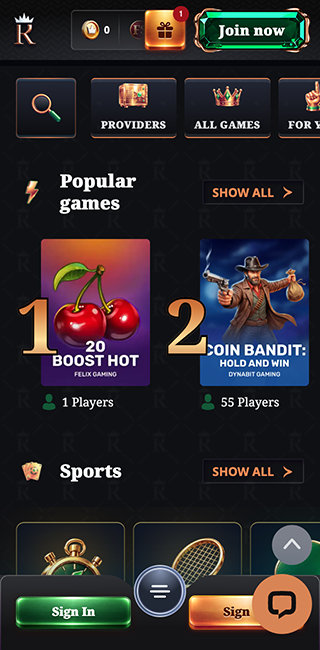 Royalxo Mobile App View
Overview of Royalxo Mobile App Experience
Royalxo treats Android and iPhone exactly the same. There is no APK and no App Store listing. Both install from the browser as a web app and sit on the home screen like any other icon. It is a sensible call, because nobody has to switch off a security setting to get in.
The app opens the full site, not a cut-down version. Sportsbook, casino, cashier and document upload are all inside, with the same balance as on desktop. It also pays 10 free spins just for installing, which is more than most browser shortcuts can say for themselves.
Overall Mobile Requirements
A web app asks very little of your phone. The browser does the heavy lifting, so a recent flagship is not required.
| Device | Recommended OS | RAM | Access |
|---|---|---|---|
| Android | Android 10+ | 2 GB | Web app |
| iPhone / iPad | iOS 13+ | 2 GB | Web app |
The only real difference is the browser. Android installs through Chrome, while iPhone and iPad need Safari. Either way, older phones are welcome.
Android Compatibility Guide
Android gets the smoother of the two routes, because the site can trigger the install prompt itself.
Installing Royalxo is straightforward:
- Open Royalxo in Chrome and log in.
- Open the side menu and tap Application.
- Tap Install the app.
- Confirm the Chrome prompt.
- Launch Royalxo from the new home screen icon.
There is no APK and no unknown-sources warning to click through. Chrome handles the whole install. Once installed, the app opens full screen without the browser bar. That leaves more room for the bet slip, the live board and slot reels.
Updates arrive on their own, too. Every change to the site reaches the app the next time you open it, with no store update to wait for.

iOS Compatibility Guide
iPhone and iPad users get the same web app, just with a manual install. The setup takes well under a minute, and there is nothing to download.
Apple does not let websites show an install prompt, so it takes three taps in Safari. Open Royalxo and log in, tap Share, then choose Add to Home Screen. The icon lands next to your other apps. Notifications need a little more. They work on iOS 16.4 or later, and only once the app sits on your home screen. On older iPhones, the app still runs, but the push alerts and their spins are out of reach.
The rest matches Android, from the cashier to the document upload.

Final Conclusion About Royalxo Mobile App
Royalxo skips the app stores, and players lose very little for it. Both platforms get the full site, a home screen icon and an install bonus, without an APK or a store listing in sight. The bonus side is the nice surprise. Ten spins for installing and ten more for notifications cost nothing, though winnings carry 40x wagering within seven days.
I would add the app on either platform. It takes no storage, and the browser stays there as a backup.
FAQ
Can I claim the app spins more than once?
No. The install spins go once per person, device and IP address. Reinstalling on the same phone will not bring them back.
How soon do the install spins arrive?
About an hour after your first login through the app. Give it that long before contacting support.
Do I need to deposit to cash out the app spins?
Yes. Winnings from the free spins need a verified account and at least one deposit before you can withdraw them.
Are there missions for the app?
Yes. Missions pay 35 points each for installing the app and turning on notifications. Points buy spins in the mission Store.
Is the mobile site any different from the app?
No. The browser version has the same account, balance and features. Use whichever suits you, and switch between them freely.